
Best Video Downloader App for Android in 2026
Quick Answer: The best video downloader app for Android in 2026 is Save Downloads. It operates completely account-free, delivers full 1080p and 4K video with synchronized audio, uses multi-threaded parallel acceleration for up to 8x faster downloads, and includes an offline encrypted private vault to protect sensitive media.
With hundreds of mobile downloaders scattered across the web, finding an application that combines high download speeds, crystal-clear 1080p/4K video resolution, synchronized sound, and rock-solid privacy is rare. Many legacy tools bombard users with aggressive popups, secretly track browsing habits, or drain battery life with heavy background processes.
In this definitive guide, we review what makes a top-tier free video downloader app and why Save Downloads sets the benchmark for Android media archiving in 2026.
Core Pillars of a Premium Android Video Downloader
When evaluating a video downloader pro application, demand these five essential capabilities:
1. 100% Account-Free and Offline Architecture
Never trust an app that demands account creation, social logins, or personal phone numbers. Save Downloads operates completely offline with zero sign-ins. Your media requests stay between your phone and the source server—never routed through tracking proxies.
2. High-Definition 1080p & 4K With Full Audio
Streaming platforms frequently deliver high-resolution video and audio as separate tracks. Cheap downloaders fail to combine them, resulting in silent videos or capping quality at 720p. Save Downloads downloads both streams simultaneously and merges them seamlessly into a universal MP4 file.
3. Accelerated Multi-Threaded Chunk Downloading
Downloading large 1 GB+ video files over single-thread connections is slow and vulnerable to internet throttling. Save Downloads divides files into multiple simultaneous parallel connections, utilizing the maximum speed of your home Wi-Fi or 5G connection.
4. Built-in Offline Media Player & PiP
Watch your downloaded videos immediately inside the app with smooth gesture controls for volume and brightness, background audio listening, and floating Picture-in-Picture (PiP) multitasking.
5. Encrypted Private Vault
Protect personal videos, fitness logs, and private archives behind a biometric fingerprint or secure PIN lock, completely hidden from your phone’s public gallery.
How to Use Save Downloads on Android
Using the premier all video downloader is effortless:
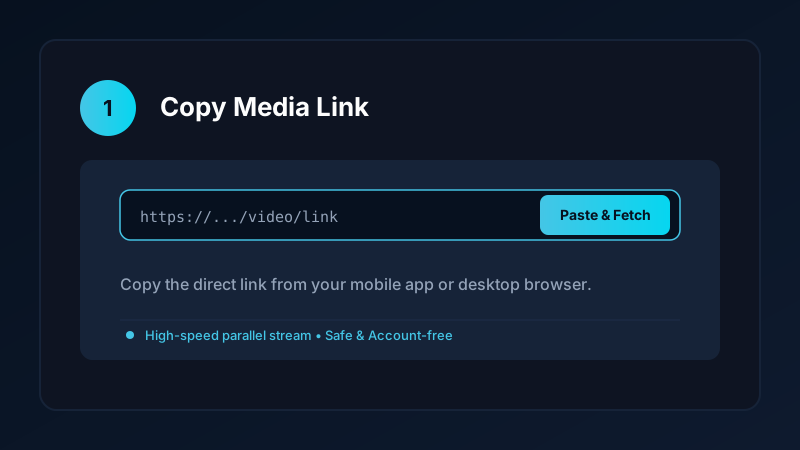
- Copy Any Video Link: In your favorite social app or browser, tap Share and select Copy link.
- Launch Save Downloads: The app detects your copied URL from the clipboard instantly.
- Choose Your Format & Quality: The format sheet displays real file sizes for 1080p Full HD, 720p HD, and MP3 audio.
- Tap Download: Your file begins downloading immediately in the background with progress notifications.
Once complete, your video appears in your device gallery under the Movies/SaveDownloads folder, ready to watch offline without buffering or ads.
Comparing Save Downloads to Legacy Alternatives
See how Save Downloads compares to traditional video downloaders:
| Feature | Legacy Downloaders (VidMate/SnapTube) | Save Downloads App |
|---|---|---|
| Privacy & Tracking | Heavy user analytics & tracking | 100% offline, account-free, zero tracking |
| Ad Experience | Intrusive full-screen popups & push ads | Clean, ad-friendly, zero deceptive popups |
| Audio Sync on 1080p/4K | Frequently fails or delivers silent clips | Flawless automated stream merging |
| Private Vault | Basic unencrypted hidden folder | Offline private on-device encrypted private vault |
| System Bar Insets | Often cuts off on modern curved displays | Modern Edge-to-Edge design with clean insets |
To read our honest, factual head-to-head comparisons, explore our Vidmate alternative review and Snaptube alternative analysis.
How to Safely Download and Install Save Downloads
Because official app store policies restrict apps that download media from certain platforms, Save Downloads is distributed directly via safe APK sideloading:
- Visit the official website at
savedownloads.com. - Download the latest official APK package.
- Verify the release SHA-256 checksum for guaranteed file integrity.
- Enable “Install Unknown Apps” in Android Settings and tap Install.
For full, step-by-step instructions with security verification tips, read our complete APK installation guide.
Ethical and Fair-Use Guidelines
When using Save Downloads:
- Save media solely for personal, non-commercial offline study, reference, or archiving.
- Respect creator copyright and never redistribute protected content without permission.
- Read our comprehensive guide on legal video downloading.
Advanced Playback Controls and Floating Picture-in-Picture
Save Downloads is not just a downloader; it is a full-featured offline media center:
- Hardware-Accelerated Playback: Built-in hardware decoding ensures butter-smooth 60fps video playback with minimal battery consumption.
- Floating Picture-in-Picture (PiP): Multitask effortlessly. Keep tutorials or music videos playing in a small resizable floating window while taking notes, browsing social media, or texting.
- Gesture Controls: Adjust brightness by swiping on the left side of the screen and volume on the right side, just like premium desktop media players.
- Background Audio Mode: Turn your screen off and continue listening to video lectures, interviews, and music without draining your battery.
Frequently Asked Questions
What is the best video downloader app for Android in 2026?
Save Downloads is the premier choice, offering 100% account-free offline downloading, 1080p/4K with sound, multi-threaded acceleration, and an encrypted vault.
Can a free video downloader app download videos without ads?
Yes. Save Downloads features a clean, ad-friendly experience without deceptive popups, full-screen blockers, or forced subscriptions.
How does an all video downloader handle multiple websites?
Save Downloads incorporates a universal stream resolver that detects media streams across video platforms, social networks, and blogs.
Is Save Downloads completely free to use?
Yes. Save Downloads is 100% free with no paywalls, registration tiers, or hidden subscriptions.
Ultra-Fast VPN & Uncapped Bandwidth
Protect your mobile downloads with military-grade AES-256 encryption. Prevent ISP bandwidth throttling and stream up to 8x faster.
Try Save Downloads for Android
Parallel multi-chunk downloads, lossless 1080p and 4K stream remuxing, WhatsApp status saver, and AES-256 encrypted vault. 100% offline and account-free.
Related Guides & Articles
4K Video Downloader: How to Download High-Resolution Videos
Looking for a true 4k video downloader? Learn how to download Ultra HD 4K and 1080p videos with synchronized sound for offline viewing on TV and mobile.
Video Download Karne Wala App: Phone Mein Video Kaise Download Karein
Dhoond rahe hain behtareen video download karne wala app? Janein phone mein YouTube, Facebook aur TikTok video kaise download karein gallery mein.
Video Downloader APK: How to Download and Install It Safely
Looking to install a video downloader apk? Learn step-by-step how to safely sideload Android APKs, verify SHA-256 checksums, and avoid malware.