
How to Download Snapchat Videos and Spotlight
Quick Answer: To perform a snapchat video download, tap the Share button on any public Snapchat Spotlight clip, choose Copy link, and open Save Downloads. Select 1080p HD quality and tap Download. The vertical video saves directly into your device gallery under your Movies folder as a standard MP4 file.
Snapchat Spotlight has become one of the most entertaining destinations for viral short-form mobile video, showcasing hilarious community skits, animal antics, creative talent shows, and life hacks. Because Spotlight feeds update continuously, finding a clip you watched an hour ago is often nearly impossible.
In this guide, you will learn how to save public snapchat video download clips directly to your phone gallery so you can rewatch them offline anytime.
Public Spotlight vs Private Snaps: Understanding the Difference
Before attempting to download content from Snapchat, it is essential to understand the platform’s architectural privacy boundaries:
- Public Spotlight Clips: Designed for broad public entertainment. Creators submit these clips publicly, and Snapchat generates shareable web links accessible in any web browser.
- Private Snaps & Direct Chats: Ephemeral, encrypted messages sent privately between friends. These cannot and should not be accessed by third-party downloaders.
Save Downloads operates strictly on public web links, ensuring that privacy boundaries are fully respected.
How to Download Snapchat Spotlight Videos on Android
Saving a Spotlight clip to your Android phone is quick and simple:
- Find the Video: Open Snapchat and navigate to the Spotlight tab.
- Copy the Link: Tap the Share arrow on the right side of the screen and select Copy link.
- Open Save Downloads: The application detects your copied link automatically.
- Choose HD Resolution: Select 1080p Full HD and tap Download.
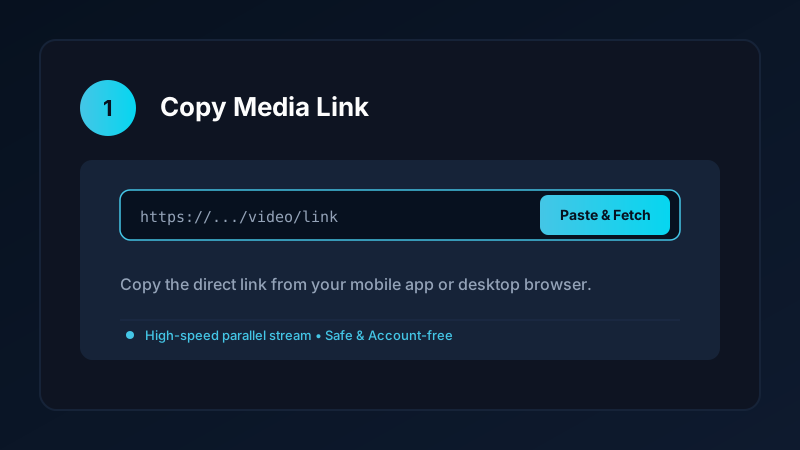
The completed video is saved directly into your device Movies/SaveDownloads folder, immediately visible in Google Photos, Samsung Gallery, and other media players.
How to Download Snapchat Spotlight on iPhone and PC
If you are using an iPhone or desktop computer:
- On iPhone: Copy the Spotlight link, open Safari, and paste the URL into our clean online tool. Download the file, open the iOS Files app, tap Share, and tap Save Video to export it to your Photos camera roll. Check our iPhone video download guide for more details.
- On PC & Laptop: Open the link in Chrome, Edge, or Firefox, copy the web address, and paste it into our verified online tool. Save the resulting MP4 file directly into your
Downloadsfolder.
Completed files play smoothly in VLC, Windows Media Player, and QuickTime.
Anonymous Archiving: Zero Screenshot Notifications
When you take a screenshot or screen recording inside the Snapchat mobile app, the platform automatically alerts the creator. When you download a public Spotlight clip via its web URL using Save Downloads:
- The video stream is fetched directly through public server endpoints.
- Your personal Snapchat profile is never submitted to Snapchat.
- You can archive public media completely anonymously without triggering notifications.
Safe, Account-Free Downloading
Many suspicious third-party apps demand that you connect your Snapchat account before downloading media. This creates severe security hazards:
- Your personal login credentials could be compromised.
- Snapchat may temporarily lock your profile for logging in through unverified apps.
Save Downloads operates 100% account-free. You never enter passwords, cookies, or account tokens. As long as a Spotlight clip is public, you can save it anonymously.
Copyright and Fair Use Reminders
When you save Snapchat videos:
- Use downloaded clips strictly for personal offline viewing, research, or study.
- Respect creator copyright and never re-upload clips claiming ownership.
- Read our comprehensive legal guide on video downloading.
Anonymous Archiving and Creative Portfolio Building
For digital creators and video editors studying viral social trends:
- Analyzing Hook Techniques: Save top-performing Spotlight clips to study pacing, text overlay positioning, and sound design techniques used by leading creators.
- Zero Creator Alerts: Because public downloads bypass the in-app screenshot detection system, you can analyze viral video styles completely privately.
- Offline Storyboarding: Keep a collection of creative video transitions and comedic setups on your tablet to inspire your next video production.
- Aspect Ratio Optimization: Standard 9:16 vertical video files can be previewed in portrait orientation across any media player without distracting UI buttons.
- Audio Trend Identification: Discover emerging audio tracks and dialogue memes before they spread to other social networks.
- Hands-Free Repetition: Loop dance routines or workout drills on your tablet in full-screen portrait mode without needing to manually restart the video after each repetition.
Frequently Asked Questions
Can I download public Snapchat Spotlight videos?
Yes. Public Spotlight clips have shareable web links that allow downloading high-definition MP4 video files.
Can I download private Snaps sent between friends?
No. Private ephemeral Snaps are encrypted and protected by Snapchat security; external tools cannot and should not download them.
Does Snapchat notify users when you download a public Spotlight video?
No. When using an external stream downloader via web link, the request is processed anonymously without triggering notifications.
How do I save Snapchat Spotlight videos to my phone gallery?
Paste the Spotlight URL into Save Downloads and tap Download. The video is saved directly into your device Movies folder.
Ultra-Fast VPN & Uncapped Bandwidth
Protect your mobile downloads with military-grade AES-256 encryption. Prevent ISP bandwidth throttling and stream up to 8x faster.
Try Save Downloads for Android
Parallel multi-chunk downloads, lossless 1080p and 4K stream remuxing, WhatsApp status saver, and AES-256 encrypted vault. 100% offline and account-free.
Related Guides & Articles
4K Video Downloader: How to Download High-Resolution Videos
Looking for a true 4k video downloader? Learn how to download Ultra HD 4K and 1080p videos with synchronized sound for offline viewing on TV and mobile.
Best Video Downloader App for Android in 2026
Looking for the best video downloader app for Android? Discover top features to check: offline speed, 1080p/4K with sound, private vault, and no accounts.
How to Download a Full YouTube Playlist
Need a youtube playlist downloader? Learn how to download entire video playlists and music albums in one tap for complete offline viewing.