
How to Download TikTok Videos on PC or Laptop
Quick Answer: To perform a tiktok download pc on Windows or Mac, open your computer web browser, navigate to the TikTok video on tiktok.com, and copy the web address. Paste the link into a verified online downloader or desktop app, select 1080p MP4, and save the file directly to your PC hard drive for offline viewing.
While TikTok is primarily designed as a handheld mobile experience, millions of video editors, digital marketers, researchers, and students use TikTok on their desktop computers and laptops. Having videos saved directly on your PC enables seamless video editing, classroom presentations, and permanent local archiving.
In this guide, we review the best methods to download tiktok for pc safely and efficiently on Windows 10, Windows 11, and macOS.
Why Download TikTok Videos on a Computer?
Saving media on a desktop computer offers notable advantages over mobile storage:
- Expansive Storage: Computers typically feature hundreds of gigabytes or terabytes of hard drive space, allowing you to archive entire creator collections without storage warnings.
- High-End Video Editing: Import saved vertical MP4 clips directly into desktop software like Premiere Pro, DaVinci Resolve, or Final Cut Pro for high-level editing.
- Multitasking on Large Displays: Watch educational videos on a secondary desktop monitor while coding, writing research papers, or designing graphics.
A reliable tiktok download pc workflow eliminates the hassle of transferring files between your phone and computer.
Method 1: Web-Based Downloaders in Desktop Browsers
The quickest way to save a video without installing software is via a verified online tool:
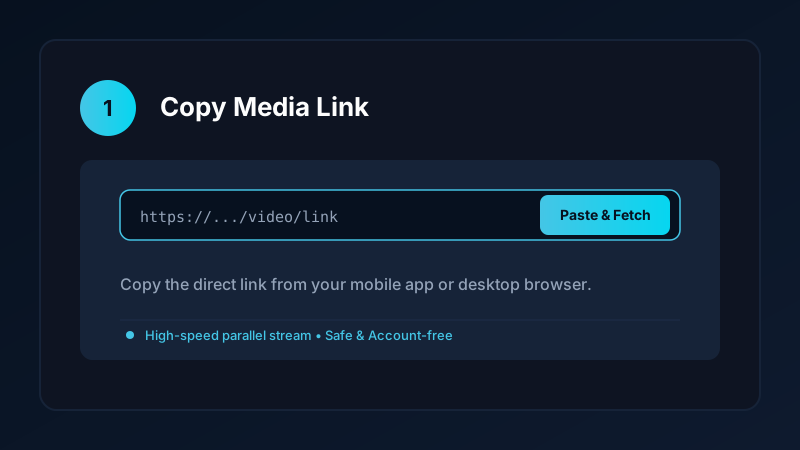
- Visit TikTok on Desktop: Open Chrome, Edge, Safari, or Firefox and go to
tiktok.com. - Copy the Video Link: Click the Share button on the video and select Copy Link, or simply copy the web address from your browser navigation bar.
- Open Downloader Tool: Navigate to your verified online downloader page.
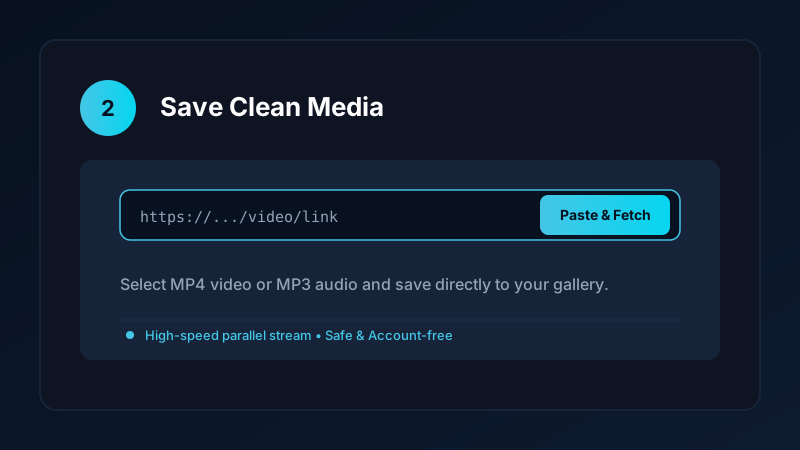
- Paste and Download: Paste the URL into the input field and select 1080p MP4. The file downloads directly into your default
Downloadsdirectory.
Method 2: Save Downloads for Windows (Coming Soon)
For frequent downloads and batch archiving, we are developing the official Windows companion to our Android app:
- Native 64-bit Performance: Designed specifically for Windows 10 and 11.
- Drag-and-Drop URLs: Simply drag links from your web browser directly into the app window.
- Accelerated Multi-Threaded Engine: Downloads large video files at the maximum speed of your home fiber or broadband connection.
- Automatic Audio Extraction: Convert TikTok clips to MP3 in one click.
Learn more about upcoming desktop features in our Windows software preview.
Playing Vertical TikTok Videos on Windows and Mac
Because TikTok videos are formatted in a 9:16 vertical aspect ratio, standard desktop players sometimes display thick black borders on the sides:
- VLC Media Player: Highly recommended. VLC allows you to adjust aspect ratio, crop black bars, and loop videos indefinitely for fitness or cooking practice.
- Windows Media Player: Modern Windows 11 Media Player plays vertical MP4 clips smoothly with full hardware acceleration.
- QuickTime on macOS: Seamlessly handles vertical high-definition video playback with scrub controls.
Staying Safe From Malicious PC Downloaders
When looking for desktop video download utilities, exercise caution:
- Never install unknown
.exeor.msiinstallers from untrusted sources. Many legacy freeware sites bundle toolbars, adware, or cryptominers in their software setups. - Avoid sketchy browser extensions that request permissions to “read and change all your data on websites you visit.”
- Stick to clean web tools or audited open-source software that require zero system modifications.
For mobile downloading tips, read our guide on how to safely sideload Android APKs.
Copyright and Fair Use
When saving TikTok videos to your computer:
- Use downloaded clips for personal offline reference, fair-use commentary, or private education.
- Never re-distribute copyrighted video content without creator attribution and consent.
- Explore our detailed overview on digital media downloading ethics and legality.
Keyboard Shortcuts and Desktop Playback Optimization
When reviewing TikTok videos on Windows and macOS laptops:
- Instant Scrubbing: Media players like VLC allow you to use left and right arrow keys to skip backward or forward by 3 seconds, making it easy to study intricate dance choreography or tutorial steps.
- Hardware Acceleration in Windows: Modern graphics cards from Intel, AMD, and NVIDIA decode MP4 video using dedicated hardware chips, keeping your laptop cool and quiet during playback.
- Fullscreen Presentation Mode: Press
F11orEnterin full-screen media players to showcase vertical videos on classroom projectors or office monitors without desktop clutter.
Frequently Asked Questions
Can I download TikTok videos on a Windows PC or laptop?
Yes. You can use desktop web browsers, browser-based downloader tools, or dedicated desktop applications to save MP4 clips on PC.
How do I copy a TikTok video link on a computer?
While watching a video on the TikTok website, copy the web URL directly from your browser address bar or click the Share icon.
Can I download TikTok videos in 1080p HD on PC?
Yes. Online tools and desktop software retrieve the full 1080x1920 HD stream directly to your Windows Downloads folder.
Is Save Downloads coming to Windows PC?
Yes. A dedicated Save Downloads for Windows desktop application is currently under development.
Ultra-Fast VPN & Uncapped Bandwidth
Protect your mobile downloads with military-grade AES-256 encryption. Prevent ISP bandwidth throttling and stream up to 8x faster.
Try Save Downloads for Android
Parallel multi-chunk downloads, lossless 1080p and 4K stream remuxing, WhatsApp status saver, and AES-256 encrypted vault. 100% offline and account-free.
Related Guides & Articles
4K Video Downloader: How to Download High-Resolution Videos
Looking for a true 4k video downloader? Learn how to download Ultra HD 4K and 1080p videos with synchronized sound for offline viewing on TV and mobile.
Best Video Downloader App for Android in 2026
Looking for the best video downloader app for Android? Discover top features to check: offline speed, 1080p/4K with sound, private vault, and no accounts.
How to Download a Full YouTube Playlist
Need a youtube playlist downloader? Learn how to download entire video playlists and music albums in one tap for complete offline viewing.