
How to Download Twitter (X) Videos
Quick Answer: To perform a twitter video download, tap the Share button below the post on Twitter (X), choose Copy link, and open Save Downloads. Select 1080p HD quality and tap Download. The video or looping GIF saves directly into your device gallery under your Movies folder as a standard MP4 file.
Twitter (now X) is the epicenter of breaking worldwide news, live sports highlights, political commentary, viral memes, and financial updates. Because the platform updates at lightning speed, videos and clips you see on your timeline can quickly get pushed down and lost.
In this guide, you will learn how to use a reliable x video downloader to save high-definition videos and GIFs directly to your Android, iPhone, or PC for offline archiving.
Why Save Videos From Twitter (X)?
Relying on in-app bookmarks has significant limitations:
- Tweet Deletion: If the author deletes their tweet or their account is suspended, the embedded video disappears forever.
- Offline Viewing: Bookmarked tweets cannot play when you are in subway tunnels, on flights, or in areas with spotty cellular reception.
- Direct Sharing: Having a local MP4 file lets you share clips directly into WhatsApp, Telegram, or Discord without forcing recipients to open Twitter web links.
Using a dedicated twitter downloader gives you permanent ownership of the media you archive.
How to Download Twitter Videos on Android
Saving a video on your Android phone takes less than twenty seconds:
- Find the Tweet: Open Twitter (X) and locate the post containing the video or GIF.
- Copy the Link: Tap the Share button below the post and choose Copy link.
- Open Save Downloads: The app detects your copied link automatically.
- Choose HD Resolution: Select 1080p Full HD and tap Download.
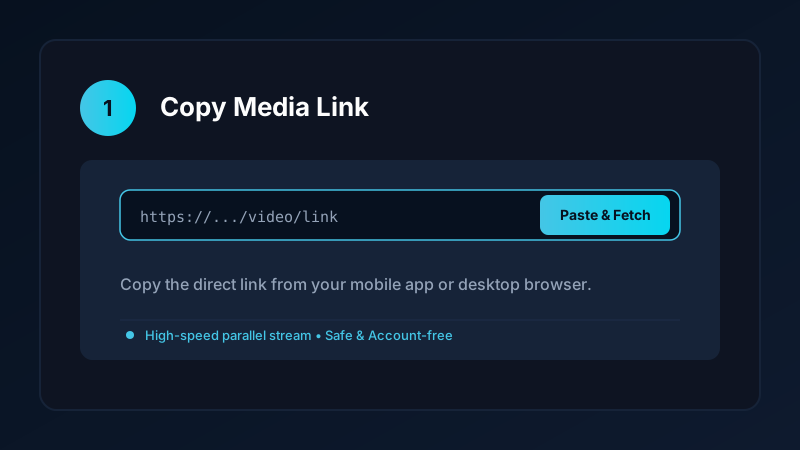
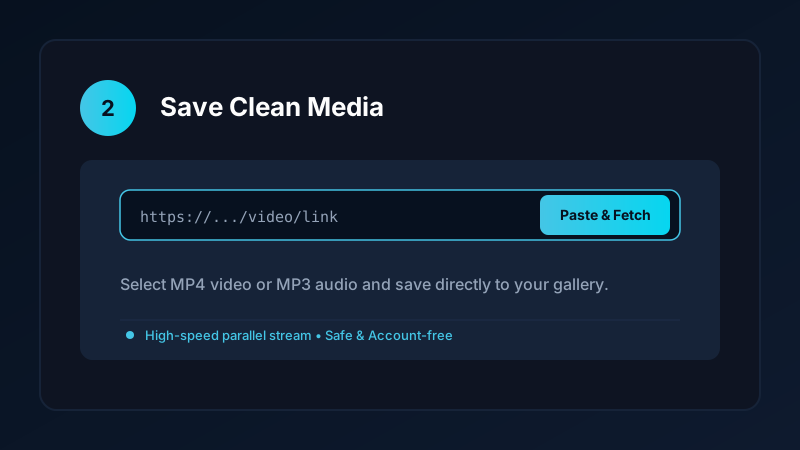
The completed video is saved directly into your device Movies/SaveDownloads folder, immediately visible in Google Photos, Samsung Gallery, and other media players.
How to Save Video From Twitter on iPhone and PC
If you are using an iPhone or desktop computer:
- On iPhone: Copy the tweet link, open Safari, and paste the URL into our clean online tool. Download the file, open the iOS Files app, tap Share, and tap Save Video to export it to your Photos camera roll. Check our iPhone video download guide for more details.
- On PC & Laptop: Open the tweet in Chrome, Edge, or Firefox, copy the web address, and paste it into our verified online tool. Save the resulting MP4 file directly into your
Downloadsfolder.
Completed files play smoothly in VLC, Windows Media Player, and QuickTime.
Downloading Twitter GIFs as Loopable MP4 Files
Many users are surprised to learn that “GIFs” on Twitter are not actually .gif image files:
- To optimize loading speeds, Twitter converts all uploaded GIFs into lightweight, looping MP4 video files.
- When you use a twitter video downloader hd, the tool retrieves this high-efficiency MP4 stream directly.
- The resulting file plays smoothly across all mobile devices and messaging apps with zero quality loss.
Safe, Account-Free Archiving
Many third-party apps demand that you connect your Twitter account before downloading media. This creates severe security risks:
- Your personal login credentials could be compromised.
- Your account may face automated action from Twitter for unauthorized third-party integrations.
Save Downloads operates 100% account-free. You never enter passwords, cookies, or account tokens. As long as a tweet is public, you can save it anonymously.
Copyright and Fair Use Reminders
When performing a save video from twitter task:
- Use downloaded clips strictly for personal offline viewing, research, or study.
- Respect creator copyright and never re-upload clips claiming ownership.
- Read our comprehensive legal guide on video downloading.
Archiving Memes, Sports Highlights, and Breaking News Clips
Twitter (X) moves at incredible speed, making real-time media archiving invaluable:
- Sports Highlights: Save viral goals, buzzer-beaters, and commentary clips to your device gallery before rights holders geoblock or remove the video.
- Breaking News Records: Keep original eyewitness footage and citizen journalism clips saved locally for historical reference and research.
- Animated Meme Collections: Organize looping GIF-style MP4s into a dedicated “Memes” album in your phone gallery for quick reactions in WhatsApp and Telegram chats.
- Slow-Motion Sports Analysis: Play saved sports clips in VLC or mobile video players with frame-by-frame scrubbing to analyze athletic mechanics.
- Multi-Device Sync: Transfer completed MP4 clips between your Android phone and desktop PC using standard local Wi-Fi or USB sharing.
- Offline Viewing on Flights: Prepare an offline queue of insightful interview threads and panel debates to enjoy uninterrupted viewing while traveling in airplane mode.
Frequently Asked Questions
Can I download Twitter (X) videos in 1080p HD?
Yes. A complete Twitter downloader parses the video manifest and retrieves the highest resolution stream available up to 1080p.
Can I save animated GIFs from Twitter as MP4 files?
Yes. Twitter converts GIFs into looping MP4 videos. Save Downloads downloads the clean MP4 file directly to your gallery.
Do I need a Twitter (X) account to download public videos?
No. Save Downloads operates 100% account-free. You do not need to log into Twitter or share personal tokens.
How do I save Twitter videos directly to my phone gallery?
Paste the tweet URL into Save Downloads and tap Download. The file is saved directly into your device Movies folder.
Ultra-Fast VPN & Uncapped Bandwidth
Protect your mobile downloads with military-grade AES-256 encryption. Prevent ISP bandwidth throttling and stream up to 8x faster.
Try Save Downloads for Android
Parallel multi-chunk downloads, lossless 1080p and 4K stream remuxing, WhatsApp status saver, and AES-256 encrypted vault. 100% offline and account-free.
Related Guides & Articles
4K Video Downloader: How to Download High-Resolution Videos
Looking for a true 4k video downloader? Learn how to download Ultra HD 4K and 1080p videos with synchronized sound for offline viewing on TV and mobile.
Best Video Downloader App for Android in 2026
Looking for the best video downloader app for Android? Discover top features to check: offline speed, 1080p/4K with sound, private vault, and no accounts.
How to Download a Full YouTube Playlist
Need a youtube playlist downloader? Learn how to download entire video playlists and music albums in one tap for complete offline viewing.