
How to Download a Video From Any Link or Website
Quick Answer: To download video from link on any website, copy the page URL from your browser address bar or mobile share menu, open Save Downloads, and paste the web link. The app scans the page for direct media streams, displays available resolutions, and saves a universal MP4 file directly into your device gallery or Downloads folder.
The internet is overflowing with captivating video content across thousands of independent blogs, educational university portals, news publications, and social media platforms. However, most websites do not provide a visible “Download” button, forcing users to stay connected to the internet whenever they want to watch.
In this guide, you will learn how universal stream extractors work, how to download video from any website, and how to handle modern adaptive video streams.
How Does Universal Video Downloading Work?
When you watch a video on a web page, your browser downloads media data through standardized web protocols:
- HTML5 Video Tags: Many websites embed direct video links inside
<video src="...mp4">elements in the page code. - Adaptive Stream Manifests: Modern video players use playlist files that break video into small 2-to-6 second segments to adapt to connection speeds.
- Stream Discovery: A universal download video from website tool parses the page code, identifies the highest quality media streams, and fetches the video directly.
- Local Packaging: The tool downloads the video segments, combines the visual and audio tracks, and outputs a clean, universally playable
.mp4file.
Save Downloads executes this entire process automatically on your device hardware, requiring zero technical knowledge.
How to Download Any Video on Android Step by Step
Saving videos from any web page on Android is effortless:
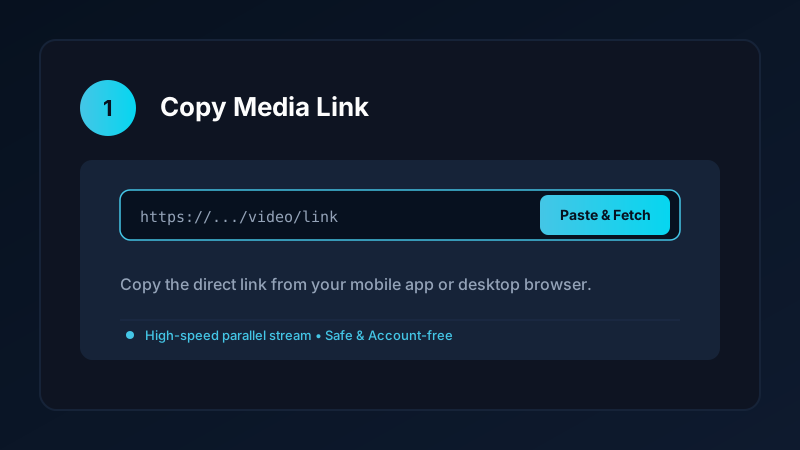
- Copy the Page Link: Open your mobile browser (Chrome, Firefox, Samsung Internet), navigate to the page with the video, and copy the web address from the address bar.
- Open Save Downloads: The application detects your copied URL automatically.
- Select Format & Quality: The format sheet displays detected video resolutions along with file sizes.
- Tap Download: The app downloads the stream and saves it directly into your
Movies/SaveDownloadsfolder.
Completed videos appear immediately in Google Photos and Samsung Gallery for instant offline playback.
How to Download Video From URL on PC and Laptop
If you are working on a desktop computer:
- Open the web page in Chrome, Edge, or Firefox.
- Copy the full URL from the browser navigation bar.
- Paste the link into our verified online tool or upcoming Windows application.
- Save the resulting MP4 file directly into your computer
Downloadsfolder.
Completed files play smoothly in Windows Media Player, VLC, and QuickTime. For more desktop options, check our guide on how to download videos on PC and laptop.
Overcoming Download Errors: 403 Forbidden and Stream Blocks
If you have tried other web downloaders and encountered error messages:
- HTTP 403 Forbidden Errors: Occur when cloud download servers are blocked by website firewalls. Because Save Downloads runs directly on your Android phone, requests originate from your personal home Wi-Fi or cellular IP, bypassing datacenter blocks.
- Fragmented Audio: Many modern players split video and audio. Save Downloads automatically fetches both tracks and merges them with studio synchronization.
- Network Drops: If your connection drops during a 1 GB file transfer, Save Downloads resumes from the exact byte where it paused without restarting from 0%.
Safe, Account-Free Archiving
Many shady online tools ask you to install suspicious browser extensions or enter account credentials. Doing so creates severe malware hazards:
- Save Downloads operates 100% account-free.
- You never enter passwords, cookies, or account tokens.
- All public media is downloaded anonymously without tracking your personal browsing habits.
Copyright and Ethical Use
When you download any video:
- Save content solely for personal offline viewing, research, or fair-use study.
- Never republish or monetize other creators’ content without express written consent.
- Read our comprehensive legal guide on video downloading.
Handling Multi-Segment Adaptive Streams (adaptive web)
Modern video websites rarely host a single monolithic video file:
- Adaptive Bitrate Streaming: Platforms break videos into small 2-to-6 second segments formatted as
.tsor.m4schunks. - Browser Playback vs File Saving: When you watch online, JavaScript players continuously assemble chunks. If you attempt to right-click and save, you only capture a single 3-second fragment.
- Seamless Local Assembly: Save Downloads retrieves the master stream index, downloads all segments sequentially using parallel connections, and stitches them into a continuous, standard MP4 file.
- Full Track Synchronization: The app ensures that visual frames and audio samples remain in microsecond alignment from start to finish.
Frequently Asked Questions
Can I download video from any website using a single tool?
Yes. A universal downloader analyzes web page source code, locates embedded media streams, and packages them into standard MP4 files.
What should I do if a website does not show a direct download link?
Paste the page web URL into Save Downloads. The app stream resolver scans underlying HTML5 video tags to locate the master stream.
Can I download streaming videos that use live stream or adaptive playlists?
Yes. Advanced downloaders reconstruct multi-segment adaptive streams into a complete, playable MP4 video file.
Is universal video downloading safe on Android?
Yes, provided you use an account-free app like Save Downloads that runs offline and never executes untrusted web scripts.
Ultra-Fast VPN & Uncapped Bandwidth
Protect your mobile downloads with military-grade AES-256 encryption. Prevent ISP bandwidth throttling and stream up to 8x faster.
Try Save Downloads for Android
Parallel multi-chunk downloads, lossless 1080p and 4K stream remuxing, WhatsApp status saver, and AES-256 encrypted vault. 100% offline and account-free.
Related Guides & Articles
4K Video Downloader: How to Download High-Resolution Videos
Looking for a true 4k video downloader? Learn how to download Ultra HD 4K and 1080p videos with synchronized sound for offline viewing on TV and mobile.
Best Video Downloader App for Android in 2026
Looking for the best video downloader app for Android? Discover top features to check: offline speed, 1080p/4K with sound, private vault, and no accounts.
Video Download Karne Wala App: Phone Mein Video Kaise Download Karein
Dhoond rahe hain behtareen video download karne wala app? Janein phone mein YouTube, Facebook aur TikTok video kaise download karein gallery mein.