
How to Download a Full YouTube Playlist

Quick Answer: To use a youtube playlist downloader, copy the playlist URL from YouTube, paste it into Save Downloads, and select whether you want video (MP4) or audio (MP3). Tap Download All to automatically download every video in the collection with sequential numbering and full metadata.
Whether you are preparing for a long flight across continents, archiving an entire educational course on computer programming, or backing up a collection of your favorite music tracks, downloading videos one by one is slow and tedious. Using a dedicated youtube playlist downloader allows you to save entire albums, tutorials, and lecture series in a single action.
In this comprehensive guide, you will learn how to download entire video collections, configure batch settings, extract MP3 audio albums, and organize your files on your device.
Why Batch Downloading Is Essential for Video Playlists
A quality youtube multi downloader eliminates repetitive copying and pasting while providing powerful management capabilities:
- Sequential Queue Management: Downloads videos in order, maintaining episode numbering for courses and series so your lessons never get shuffled out of sequence.
- Selective Downloading: Uncheck videos you have already watched and download only the new additions to save valuable storage.
- Consistent Quality Across All Videos: Applies your preferred resolution (such as 1080p or 720p) across all items automatically with zero manual adjustments.
- Audio Extraction: Convert whole music playlists into high-bitrate MP3 files with one tap, turning video collections into portable audio libraries.
- Network Resilience: Automatically retries individual failed items without interrupting the rest of the queue.
With Save Downloads on Android, batch downloading is built natively into the app with zero account sign-ins or recurring fees.
How to Download YouTube Playlists on Android
Here is how to save complete playlists on your phone:
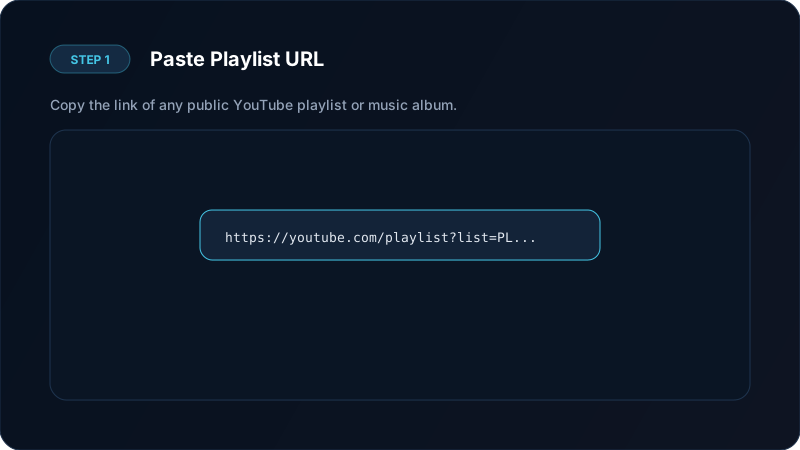
- Copy the Playlist URL: In YouTube, navigate to the playlist page, tap Share, and select Copy link. Make sure the link contains
list=in the web address. - Open Save Downloads: Paste the URL into the search bar. The app retrieves the full list of titles, thumbnails, and durations.
- Select Format & Videos: Choose MP4 Video or MP3 Audio. Tap Select All or check individual videos.
- Download in Background: Tap Download All. Save Downloads queues the files and downloads them sequentially in the background.
Downloading Playlists as MP3 Music Collections
One of the most popular uses for a playlist downloader is converting music collections to MP3:
- Save workout playlists for gym sessions where Wi-Fi is spotty or mobile coverage is dead.
- Archive study playlists and ambient soundscapes for offline focus.
- Keep audiobooks and lecture series organized in order on your microSD card.
When downloading audio, Save Downloads preserves the original track titles, making it easy to browse songs in any music player app. For single tracks, check our guide on YouTube to MP3 audio downloading.

Understanding Playlist Link Types
YouTube formats playlist links in two primary styles:
- Direct Playlist URL:
https://www.youtube.com/playlist?list=PL12345...(Navigates directly to the album or course overview). - Video With Playlist Context:
https://www.youtube.com/watch?v=VIDEO_ID&list=PL12345...(Points to a specific video while linking to the broader queue).
Save Downloads recognizes both link styles automatically. When you paste either format, the app gives you the choice to download just the single active video or grab the entire playlist with all associated tracks.
Limitations of Online Web Playlist Downloaders
Many users look for a youtube playlist downloader online hoping to avoid installing software. However, online web tools face major hurdles:
- Browser Memory Limits: Web browsers crash when trying to download 20 or 30 videos simultaneously because web pages have strict memory caps.
- No Queue Recovery: If your internet connection flickers, web tools fail and force you to restart from video 1.
- Severe Video Caps: Most web converters limit playlists to 5 or 10 videos maximum, refusing to process full series.
- Bandwidth Throttling: Cloud-hosted web tools frequently throttle large file queues to preserve their server capacity.
A native application manages device memory efficiently, stores partial progress safely, and resumes automatically if you switch networks or leave Wi-Fi range.
Handling Private, Unlisted, and Geo-Restricted Videos
When processing large playlists containing dozens of clips, you may occasionally encounter unavailable items:
- Private Videos: Videos made private by the creator cannot be accessed by any third-party tool. Save Downloads flags them clearly in the queue and skips them without crashing.
- Unlisted Videos: If you have the direct link to an unlisted playlist, Save Downloads can parse and download all included videos seamlessly.
- Deleted Clips: The app detects deleted entries and automatically proceeds to the next available video in the series.
Tips for Managing Storage With Large Playlists
Downloading 50 videos can consume several gigabytes of space. Keep your storage healthy with these tips:
- Choose 720p for Long Courses: 720p HD offers clear text on slides while cutting file size in half compared to 1080p.
- Organize by Folders: Create dedicated folders in your media storage for distinct courses or artists.
- Clean Completed Files: Use Save Downloads built-in storage tools to scan for large files or remove watched videos.
- Use the Secure Vault: Move private educational materials into the encrypted vault to prevent accidental deletion.
For more details on format differences, explore our guide on downloading YouTube to MP4.
Ethical Guidelines
Ensure fair usage:
- Download only educational, public domain, or creative commons playlists, or content for which you have offline permission.
- Read our legal guide on downloading content.
Frequently Asked Questions
Can I download an entire playlist at once?
Yes. Save Downloads parses the full playlist and allows you to download all videos or select specific episodes with a single tap.
Can I download a playlist as MP3 audio files?
Yes. You can choose MP3 format for the entire playlist to save music albums, podcast seasons, or lecture series.
Is there a limit on how many videos a playlist can have?
Save Downloads supports long playlists with tens or hundreds of videos, queuing them automatically to prevent network overload.
Can I pause and resume a playlist download?
Yes. The batch queue allows pausing individual videos or the entire playlist at any time.
Ultra-Fast VPN & Uncapped Bandwidth
Protect your mobile downloads with military-grade AES-256 encryption. Prevent ISP bandwidth throttling and stream up to 8x faster.
Try Save Downloads for Android
Parallel multi-chunk downloads, lossless 1080p and 4K stream remuxing, WhatsApp status saver, and AES-256 encrypted vault. 100% offline and account-free.
Related Guides & Articles
How to Download YouTube Shorts in HD
Looking for a fast youtube shorts downloader? Learn how to download YouTube Shorts in Full HD without quality loss to your phone gallery or PC.
How to Download YouTube Videos in 4K and 1080p
Learn how to perform youtube video download 4k and 1080p Full HD. Discover how to get high-resolution videos with synchronized audio on mobile and PC.
How to Download YouTube Videos to MP4 on Phone and PC
Learn how to convert youtube to mp4 in high quality. Download YouTube videos to MP4 for offline viewing with synced audio on Android, PC, and iPhone.