
How to Download YouTube Videos in 4K and 1080p

Quick Answer: To perform a youtube video download 4k or 1080p, copy the video URL from YouTube and paste it into Save Downloads. Select 2160p (4K) or 1080p (Full HD) in the format picker, and tap Download. The app automatically fetches the visual and sound tracks, combining them into a pristine MP4 file with full audio synchronization.
High-definition displays are everywhere—from 4K HDR smart televisions and crystal-clear computer monitors to vibrant AMOLED smartphone screens. Watching 4K wildlife documentaries, cinematic travel films, or technical gaming walkthroughs in standard definition ruins the experience.
If you want a genuine youtube video download 4k or 1080p Full HD video that includes perfect sound, this guide explains how high-resolution downloading works.
Why Do High-Resolution YouTube Downloads Often Lack Sound?
If you have tried other web downloaders, you may have experienced downloading a 1080p or 4K video only to find it plays completely silent. This is not a bug in your media player:
- Adaptive Stream Splitting: For resolutions of 1080p, 1440p (2K), and 2160p (4K), streaming platforms deliver video and audio as separate web streams to conserve server bandwidth.
- The 720p Ceiling: Only 720p and lower streams come pre-combined with audio.
- The Solution: A true youtube downloader hd must download both the high-definition video track and the high-bitrate audio track, then package them together seamlessly into a single
.mp4file.
Save Downloads performs this assembly directly on your Android phone hardware with zero re-encoding loss, guaranteeing crisp picture clarity and full stereo sound.
How to Download 4K and 1080p Videos on Android
With Save Downloads, high-definition downloading is fully automated:
- Find a 4K Video: Open YouTube and copy the link of any video uploaded in 1080p, 1440p, or 4K.
- Launch Save Downloads: Paste the URL into the search box.
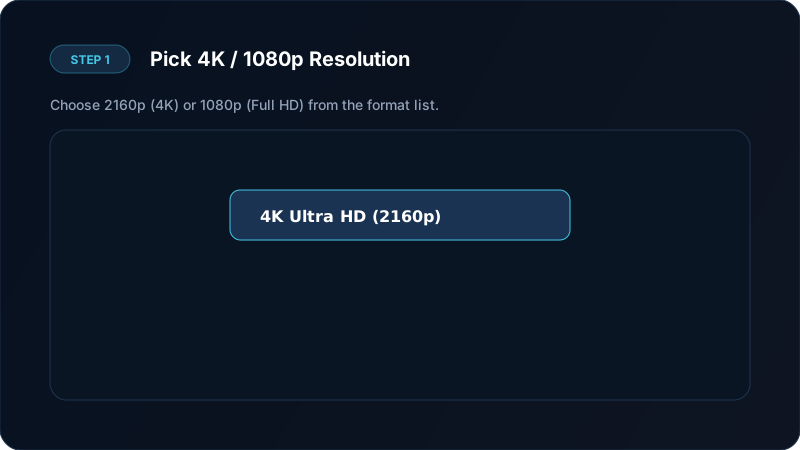
- Select 2160p (4K) or 1080p: The format selector reveals the true file size for each resolution tier.
- Tap Download: The app initiates parallel downloading, combines the tracks seamlessly, and delivers a completed MP4 file ready for your gallery.
Resolution Breakdown: 4K vs 1440p vs 1080p
Choosing the right format for your screen saves storage while giving you pristine clarity:
| Quality Tier | Resolution | Pixel Count | File Size (10 min) | Best Display |
|---|---|---|---|---|
| 4K Ultra HD | 3840 × 2160 | 8.3 Million | 400 MB – 900 MB | 4K Smart TVs, high-end tablets, monitors |
| 2K Quad HD | 2560 × 1440 | 3.7 Million | 250 MB – 500 MB | Premium smartphones, gaming laptops |
| 1080p Full HD | 1920 × 1080 | 2.1 Million | 120 MB – 250 MB | Standard smartphones, laptops, everyday viewing |
| 720p HD | 1280 × 720 | 0.9 Million | 60 MB – 120 MB | Older phones, low storage capacity |
For users looking to balance picture quality with storage efficiency, 1080p Full HD is the sweet spot. For cinematic landscapes and tech showcases, a true youtube 4k downloader brings out every detail.

Overcoming Speed Throttling During 4K Downloads
Because 4K video files can exceed 1 GB for longer videos, standard single-connection downloads often stall or take hours. Save Downloads incorporates high-speed acceleration:
- Parallel Wi-Fi Connections: Divides large files into multiple simultaneous streams, maximizing home broadband speeds.
- Byte-Level Pause and Resume: If your connection drops, the download resumes from the exact point where it paused—never restarting from 0%.
- Zero Lossless Re-encoding: Streams are packaged without re-compression, preserving every bit of color depth and sharpness.
Learn more about file formats in our comprehensive guide to video containers and MP4 files.
Playing 4K Videos Smoothly Offline
After completing your youtube video download hd task, use these tips for smooth playback:
- Use Hardware Acceleration: Modern players like the built-in Save Downloads player or VLC utilize your phone graphics processor for stutter-free 60fps playback.
- Picture-in-Picture: Save Downloads supports floating window playback, allowing you to watch 1080p and 4K videos while multitasking.
- Secure Private Storage: Keep large video files safe in the encrypted private vault so they do not clutter your camera roll.
Copyright Notice
Please download responsibly:
- Only save videos you have permission to store offline, or that are under creative commons licenses.
- Do not redistribute copyrighted material. Check our legal downloading overview for details.
Display Considerations: HDR vs SDR and True 4K Clarity
Before downloading large 4K files, consider your device display capabilities:
- Smartphones and AMOLED Screens: High-density mobile screens (such as 1440p AMOLED) reveal fine textures in 4K video that look blurred in 720p or 1080p.
- 4K Television and Monitor Displays: Viewing downloaded content on a 55-inch or 65-inch 4K television exposes every compression block. A true 2160p download delivers cinematic sharpness.
- Storage Trade-off: If your phone has limited internal flash memory, 1080p Full HD provides outstanding clarity while saving hundreds of megabytes per video.
Frequently Asked Questions
Why do 4K and 1080p YouTube videos have separate audio?
YouTube uses adaptive streaming to save bandwidth, storing 1080p and 4K visual tracks separately from sound tracks. Save Downloads automatically combines them into one seamless MP4 file.
How much storage does a 4K YouTube video take?
A 10-minute 4K video typically takes between 400 MB and 900 MB, depending on the video frame rate and complexity.
Can all phones play 4K video files?
Most modern Android phones released after 2020 have hardware decoding for 4K video. Older devices can choose 1080p Full HD for smooth playback.
Is 4K video download slower than 720p?
Yes, because the file is larger. However, Save Downloads uses multi-threaded download connections to deliver maximum speed on Wi-Fi.
Ultra-Fast VPN & Uncapped Bandwidth
Protect your mobile downloads with military-grade AES-256 encryption. Prevent ISP bandwidth throttling and stream up to 8x faster.
Try Save Downloads for Android
Parallel multi-chunk downloads, lossless 1080p and 4K stream remuxing, WhatsApp status saver, and AES-256 encrypted vault. 100% offline and account-free.
Related Guides & Articles
How to Download a Full YouTube Playlist
Need a youtube playlist downloader? Learn how to download entire video playlists and music albums in one tap for complete offline viewing.
How to Download YouTube Shorts in HD
Looking for a fast youtube shorts downloader? Learn how to download YouTube Shorts in Full HD without quality loss to your phone gallery or PC.
How to Download YouTube Videos to MP4 on Phone and PC
Learn how to convert youtube to mp4 in high quality. Download YouTube videos to MP4 for offline viewing with synced audio on Android, PC, and iPhone.