
TikTok to MP3: How to Download TikTok Sounds
Quick Answer: To convert tiktok to mp3, copy the video link containing the sound you want from TikTok, open Save Downloads, and paste the URL. Switch the format selector to MP3 Audio and tap Download. The app extracts the sound track and saves a standalone MP3 audio file directly into your device Music library.
TikTok is often the birthplace of today’s biggest musical hits, viral acoustic remixes, catchy vocal memes, and motivational soundscapes. Long before a track hits mainstream radio stations, it trends across millions of short-form videos.
If you want to enjoy these viral audios without having to stream full video clips over cellular networks, using a dependable tiktok to mp3 converter is the ideal solution.
Why Extract Audio From TikTok Videos?
Extracting audio offers distinct advantages over saving full video files:
- Storage Conservation: A vertical video file can take 15 MB to 30 MB of space. An extracted MP3 audio file takes just 1 MB to 3 MB, letting you store hundreds of sounds on your phone.
- Custom Ringtones & Alarms: You can easily set your favorite comedic audio clips, catchphrases, or musical intros as personalized phone ringtones or morning alarms.
- Workout and Background Playlists: Listen to high-energy remixes, motivational speeches, and study beats seamlessly without keeping your phone screen awake.
A dedicated tiktok audio downloader extracts the clean audio track with zero video overhead.
How to Convert TikTok to MP3 on Android
Extracting sound tracks on your Android phone takes less than twenty seconds:
- Find the Audio: In the TikTok app, find the clip featuring the song or sound you want to extract.
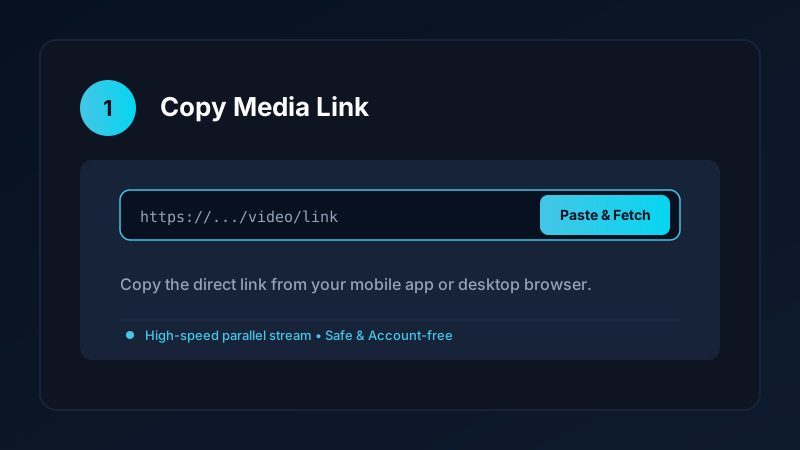
- Copy the Link: Tap the Share button on the right edge of the screen and choose Copy link.
- Open Save Downloads: The app detects your copied link automatically.
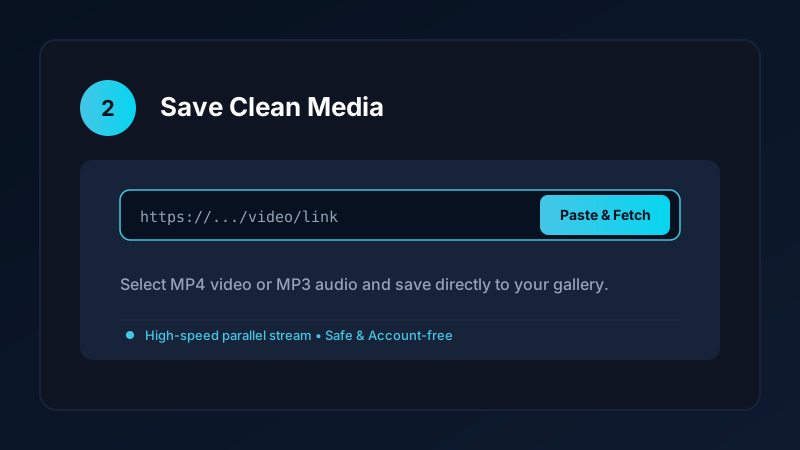
- Select MP3 Format: Choose MP3 Audio (320kbps) for pristine audio reproduction.
- Tap Download: Save Downloads extracts the sound track and places it into your
Music/SaveDownloadsdirectory.
Once the file finishes saving, it is immediately accessible in any media player, including VLC, Poweramp, or Google Files.
How to Set a Downloaded TikTok Sound as Your Ringtone
Once your tiktok sound download is stored on your Android device, you can set it as your incoming ringtone:
- Open the Settings app on your phone.
- Tap Sound & Vibration.
- Tap Phone Ringtone or Notification Sound.
- Tap Custom Ringtone or the + (Add) button in the top corner.
- Select the downloaded MP3 file from your
MusicorDownloadsfolder.
Your custom sound is now active, playing whenever you receive a phone call or text message.
Audio Fidelity: Preserving Dynamic Sound Quality
When you download tiktok mp3 audio, audio quality depends on the source upload:
- TikTok streams audio using advanced AAC audio compression.
- Save Downloads extracts the untouched audio packets and packages them into standard MP3 format without downsampling or applying dynamic compression.
- This ensures full bass clarity, crisp vocal articulation, and stereo separation when listening through headphones or Bluetooth speakers.
If you are interested in saving full music albums or longer podcasts, explore our in-depth guide on how to convert YouTube to MP3 audio.
Avoiding Dangerous Online Web Converters
Many web-based converter websites promote TikTok audio downloads but present significant user safety hazards:
- Intrusive Redirect Loops: Forcing users through multiple spam advertising tabs before generating a link.
- Deceptive File Extensions: Offering executable files (
.apkor.exe) disguised as audio files. - Server Lag: Slow processing queues that stall on long tracks.
Using an offline, account-free application like Save Downloads keeps your device safe and delivers instant download performance.
Copyright and Attribution Guidelines
When downloading TikTok audio:
- Extracted sounds should be used for personal enjoyment, offline study, or private ringtones.
- If you use a trending sound in your own original creative video, credit the original musician or creator in your description.
- Review our guide on legal video and audio downloading.
Managing Offline Audio Playlists and MicroSD Cards
Once you start archiving viral TikTok sounds and music remixes, organizing your audio files ensures effortless listening:
- Custom Sound Folders: Create dedicated subdirectories in your Music folder, such as
Music/TikTokMemes,Music/WorkoutRemixes, andMusic/StudyBeats. - MicroSD Card Expansion: If your Android phone has an expandable memory slot, you can store thousands of high-fidelity MP3 tracks on an inexpensive microSD card without taking up internal flash storage.
- Offline Media Players: Third-party players like Poweramp, Musicolet, or VLC automatically detect new MP3 files and allow you to build custom offline queues with equalization.
Frequently Asked Questions
Can I convert TikTok videos into MP3 audio files?
Yes. A dedicated audio extractor separates the sound track from the visual video and saves a standalone MP3 file.
What audio quality can I expect from a tiktok audio downloader?
TikTok streams audio up to 128kbps to 192kbps AAC. Save Downloads packages this into a clean 320kbps or 192kbps MP3 file.
Can I use downloaded TikTok sounds as phone ringtones?
Yes. Once saved to your device, you can set any MP3 file as your incoming ringtone, notification chime, or morning alarm.
Is tiktok sound download free on Save Downloads?
Yes. Save Downloads extracts unlimited audio tracks completely free with zero subscription fees or sign-in requirements.
Ultra-Fast VPN & Uncapped Bandwidth
Protect your mobile downloads with military-grade AES-256 encryption. Prevent ISP bandwidth throttling and stream up to 8x faster.
Try Save Downloads for Android
Parallel multi-chunk downloads, lossless 1080p and 4K stream remuxing, WhatsApp status saver, and AES-256 encrypted vault. 100% offline and account-free.
Related Guides & Articles
4K Video Downloader: How to Download High-Resolution Videos
Looking for a true 4k video downloader? Learn how to download Ultra HD 4K and 1080p videos with synchronized sound for offline viewing on TV and mobile.
Best Video Downloader App for Android in 2026
Looking for the best video downloader app for Android? Discover top features to check: offline speed, 1080p/4K with sound, private vault, and no accounts.
How to Download a Full YouTube Playlist
Need a youtube playlist downloader? Learn how to download entire video playlists and music albums in one tap for complete offline viewing.