
TikTok Video Downloader No Watermark: How It Works

Quick Answer: A tiktok video downloader no watermark works by retrieving the original video file directly from the content delivery network before TikTok applies its animated username overlays. To use it, copy the video link from TikTok, paste it into a verified downloader, and select the clean MP4 option to save the video to your gallery.
TikTok is the world’s leading platform for short-form viral entertainment, creative dance trends, comedy skits, and educational hacks. When you use the built-in save button inside the TikTok app, the exported video contains a bouncing logo watermark and creator username that covers important details in the corners of the frame.
If you are a content creator archiving your own videos, or a user who wants an uncluttered copy of an instructional recipe or fitness guide, this article explains how a tiktok video downloader no watermark functions and how to get clean videos safely.
Why Does TikTok Add Watermarks to Videos?
When a creator uploads a video to TikTok, the original file is completely clean. The bouncing tiktok watermark is added dynamically:
- Brand Promotion: When users export clips and post them to Instagram Reels, Facebook, or WhatsApp status, the bouncing logo advertises TikTok to other audiences.
- Creator Attribution: The username watermark helps identify the original account behind the content.
- Platform Identification: Algorithms on competing platforms scan for TikTok watermarks and intentionally reduce the reach of re-posted watermarked clips.
For creators who produce their original edits inside TikTok and want to cross-post to other networks, having a clean no watermark tiktok download is essential to avoid algorithmic reach penalties.
How Does a No Watermark TikTok Downloader Work?
Many users believe that watermark removers blur or crop the corners of the video. However, high-quality tools do not modify or blur the picture at all:
- Raw Stream Retrieval: TikTok stores the original, untouched video stream on its media delivery servers.
- Dynamic Overlay Bypass: The watermark is normally added by the client app during playback or standard export.
- Direct Delivery: A dedicated tiktok downloader no watermark fetches the original master video file before the overlay is applied.
- Pristine Preservation: You receive the exact 1080x1920 MP4 file uploaded by the creator, with full resolution and pristine stereo sound.
How to Download Clean TikTok Videos on Android
Follow these simple steps:
- Find the Video: Open TikTok and navigate to the video you want to save.
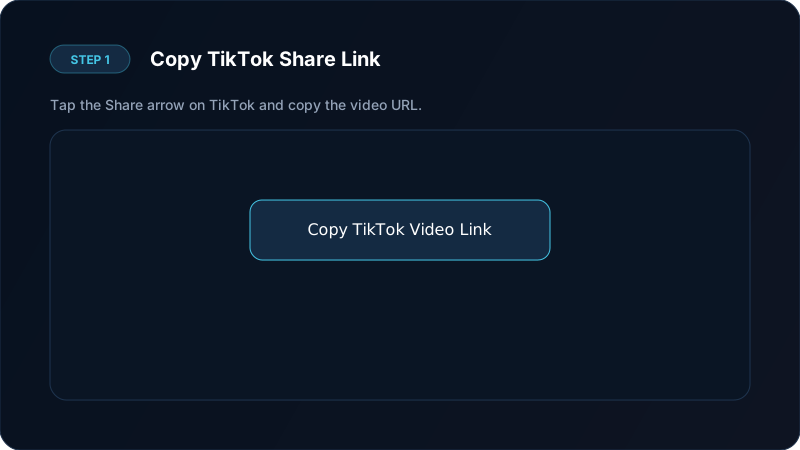
- Copy the Link: Tap the Share button (the arrow icon on the right side) and select Copy link.
- Open Your Downloader: Paste the link into your verified downloader.
- Choose Clean MP4: Tap the No Watermark download button. The file is saved directly to your phone gallery.
Once downloaded, the video appears in your phone gallery ready to watch offline, edit, or share without visual obstructions.
Common Issues With Third-Party TikTok Download Sites
While many web-based tools offer tiktok no watermark downloads, many come with drawbacks:
- Aggressive Advertisements: Many web portals trigger full-screen deceptive ads, fake virus notifications, and unwanted browser redirects.
- Link Expiration: Direct download links from third-party cloud servers often expire within minutes.
- Compression Artifacts: Some low-quality online services re-encode the video, introducing blurry artifacts and washed-out colors.
Using an offline, ad-free mobile utility protects your privacy and guarantees full original fidelity.
Extracting Audio and Sounds From TikTok
Many viral trends are driven by unique background music tracks and audio remixes. If you only want the sound:
- Copy the TikTok video URL.
- Select the MP3 audio download option in your downloader.
- The sound is extracted as a standalone audio file, perfect for ringtones or offline listening.
For more audio extraction techniques, explore our guide on downloading audio from video clips.
Ethical Guidelines and Respecting Creators
When downloading videos without watermarks:
- Creator Permission: Only download and repurpose content you have permission to use, or your own original uploads.
- Credit the Original Creator: If you share a clean video among friends or use it for commentary, always credit the original creator in your caption.
- Fair Use: Never re-upload someone else’s creative work to monetize or claim ownership.
- Read our full overview on content downloading laws and ethics.
Why Content Creators Need Clean Video Downloads
For digital creators and social media managers, removing watermarks is essential for multi-platform distribution:
- Avoiding Algorithm Suppression: Modern social networks intentionally deprioritize videos containing competitor logos. A clean video ensures your reach is not artificially restricted.
- Preserving Original Visual Quality: High-quality watermark-free downloaders retrieve the untouched 1080x1920 source stream, preventing the fuzzy compression that occurs when screen-recording clips.
- Building a Professional Portfolio: Video editors and creators need clean copies of their best-performing content to showcase in professional showreels and client proposals.
Frequently Asked Questions
How does a tiktok video downloader no watermark work?
It accesses the clean original video stream directly from the media servers before the mobile app overlays the bouncing watermark logos.
Why does TikTok add watermarks to saved videos?
TikTok adds watermarks for brand marketing and creator attribution when videos are exported to competing social media platforms.
Can I download TikTok videos without watermark on Android?
Yes. Dedicated download tools retrieve the clean original MP4 stream and save it directly to your phone gallery.
Does removing the watermark reduce video quality?
No. Because the tool retrieves the untouched source stream, you get the highest possible 1080p resolution without compression loss.
Ultra-Fast VPN & Uncapped Bandwidth
Protect your mobile downloads with military-grade AES-256 encryption. Prevent ISP bandwidth throttling and stream up to 8x faster.
Try Save Downloads for Android
Parallel multi-chunk downloads, lossless 1080p and 4K stream remuxing, WhatsApp status saver, and AES-256 encrypted vault. 100% offline and account-free.
Related Guides & Articles
4K Video Downloader: How to Download High-Resolution Videos
Looking for a true 4k video downloader? Learn how to download Ultra HD 4K and 1080p videos with synchronized sound for offline viewing on TV and mobile.
Best Video Downloader App for Android in 2026
Looking for the best video downloader app for Android? Discover top features to check: offline speed, 1080p/4K with sound, private vault, and no accounts.
How to Download a Full YouTube Playlist
Need a youtube playlist downloader? Learn how to download entire video playlists and music albums in one tap for complete offline viewing.