
Video Saver: How to Save Videos From Social Media to Your Phone
Quick Answer: A video saver allows you to save video files from social platforms directly to your phone gallery. Copy the link of any public post from Facebook, YouTube, or TikTok, open Save Downloads, and paste the web URL. Choose your preferred MP4 resolution and tap Download to save the video for offline viewing.
Social media networks are the primary source of daily entertainment, breaking news, fitness tutorials, cooking recipes, and cultural commentary. However, every social app uses proprietary video players that require continuous internet connectivity to replay content.
In this guide, you will learn how to use a universal video saver to archive your favorite clips across multiple platforms for seamless offline viewing.
Why Use an External Social Media Video Saver?
While platforms like Facebook and YouTube offer in-app “Save” buttons, those features only create internal bookmarks:
- No True Offline Storage: You cannot play bookmarked videos when traveling in airplane mode or in remote areas with zero reception.
- Creator Removals: If an account is suspended or a post is deleted, your bookmarked video disappears forever.
- Easy Sharing in Messaging Apps: Having a local MP4 file lets you share clips directly into WhatsApp, Telegram, or Signal without forcing friends to log into social media apps.
A dedicated save from facebook and save from youtube utility gives you permanent ownership of your favorite clips.
How to Save Videos From Facebook to Your Phone
To save fb video clips on Android:
- Open the Facebook app or web browser.
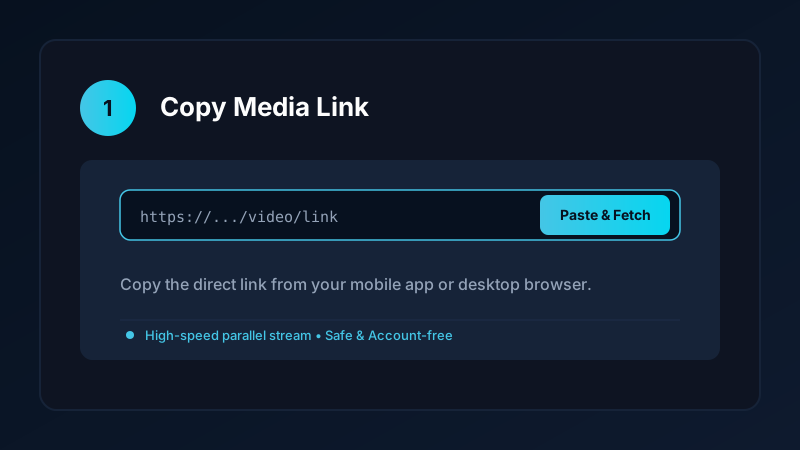
- Tap the three dots or Share button on the video and select Copy link.
- Open Save Downloads; the app detects your clipboard link automatically.
- Select 1080p HD and tap Download.
The video is saved directly into your device Movies/SaveDownloads directory. For more Facebook advice, read our Facebook video downloader guide.
How to Save Video From YouTube Directly to Gallery
To save from youtube on Android:
- Open YouTube, navigate to the video, tap Share, and choose Copy link.
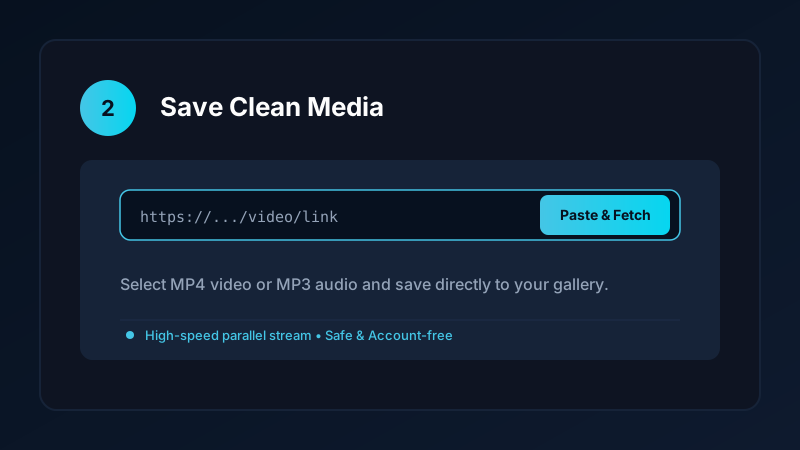
- Open Save Downloads and choose your preferred resolution (1080p, 720p, or MP3 audio).
- Tap Download.
The app downloads the high-definition stream with full audio synchronization. Read our dedicated guide on how to download YouTube videos to MP4 for detailed quality comparisons.
Organizing Social Media Videos in Custom Gallery Folders
To keep your camera roll organized:
- Recipes & Cooking: Keep meal ideas in one album for kitchen reference.
- Fitness & Training: Store gym form checks and workout routines for offline gym sessions.
- Private Encrypted Vault: Move private videos into the offline encrypted vault to protect them behind a PIN or fingerprint lock.
Privacy First: 100% Account-Free Archiving
Many suspicious third-party apps demand that you connect your personal social media accounts. This creates severe account security risks:
- Save Downloads operates 100% account-free.
- You never enter passwords, cookies, or account tokens.
- All public posts are saved anonymously.
Ethical Guidelines and Fair Use
When saving social media content:
- Save media strictly for personal offline viewing, research, or study.
- Respect creator copyright and original publisher licenses.
- Read our comprehensive legal guide on video downloading.
Managing Download Queues Across Multiple Social Platforms
When archiving media from multiple social networks in a single session:
- Sequential Queue Processing: Save Downloads queues your tasks and downloads them sequentially, preventing network congestion.
- Automatic Folder Sorting: Media is organized by platform tag, making it easy to browse your YouTube, Facebook, and TikTok archives independently.
- MicroSD Card Support: On Android phones with memory card slots, you can configure Save Downloads to save directly to external storage, keeping your internal flash memory clear.
- Offline Review on Flights: Prepare an offline queue before traveling to enjoy continuous viewing without in-flight Wi-Fi fees.
- Preserving High-Definition Aspect Ratios: Social platforms vary between 9:16 vertical reels and 16:9 widescreen videos. Save Downloads preserves the exact native aspect ratio without awkward letterboxing or black border clipping.
- Managing Multiple Downloads in Background: You can queue 10 clips from Facebook and YouTube simultaneously and let Save Downloads download them smoothly with real-time status bar notifications.
- Conserving Mobile Data on Limited Plans: By saving educational courses and entertaining clips over home broadband Wi-Fi, you avoid consuming expensive cellular data caps when replaying media outside the house.
- Instant Seeking Without Buffering: Local video files allow you to jump instantly to any point in the timeline with zero delay, ideal for reviewing detailed instructional guides and recipes.
Frequently Asked Questions
What is the easiest way to save videos from social media?
Copy the share link from Facebook, YouTube, or TikTok, paste it into Save Downloads, and tap Download to save it to your gallery.
Can I save videos from Facebook without an account login?
Yes. Save Downloads downloads public Facebook videos anonymously without asking for your account login or cookies.
How do I save videos from YouTube to my phone gallery?
Paste the YouTube video link into Save Downloads and choose 1080p or 720p MP4. The file saves directly to your device storage.
Is Save Downloads free for unlimited social media saving?
Yes. Save Downloads is 100% free with no paywalls, daily quotas, or subscription fees.
Ultra-Fast VPN & Uncapped Bandwidth
Protect your mobile downloads with military-grade AES-256 encryption. Prevent ISP bandwidth throttling and stream up to 8x faster.
Try Save Downloads for Android
Parallel multi-chunk downloads, lossless 1080p and 4K stream remuxing, WhatsApp status saver, and AES-256 encrypted vault. 100% offline and account-free.
Related Guides & Articles
4K Video Downloader: How to Download High-Resolution Videos
Looking for a true 4k video downloader? Learn how to download Ultra HD 4K and 1080p videos with synchronized sound for offline viewing on TV and mobile.
Best Video Downloader App for Android in 2026
Looking for the best video downloader app for Android? Discover top features to check: offline speed, 1080p/4K with sound, private vault, and no accounts.
Video Download Karne Wala App: Phone Mein Video Kaise Download Karein
Dhoond rahe hain behtareen video download karne wala app? Janein phone mein YouTube, Facebook aur TikTok video kaise download karein gallery mein.