
YouTube Music Download: Get Songs as MP3 for Offline Listening

Quick Answer: To perform a yt music download, copy the song or track link from YouTube Music or YouTube, open the Save Downloads app, and paste the URL. Select MP3 Audio (320kbps) and tap Download. The studio-quality audio file saves directly to your device Music folder for offline listening in any media player.
Streaming music all day consumes gigabytes of mobile data and drains smartphone batteries rapidly. When traveling through areas with poor cellular reception, streaming apps frequently pause and buffer right in the middle of your favorite songs.
By performing a direct yt music download, you can save songs, studio remixes, live acoustic sets, and full albums to your local storage for permanent, ad-free offline enjoyment.
Why Choose Standalone MP3 Files Over Streaming Caches?
While subscription streaming platforms offer offline caching, those files are locked inside proprietary apps:
- Locked Caches: If your subscription lapses, cached songs become unplayable instantly.
- No External Portability: You cannot copy proprietary cached music to a USB thumb drive for your car stereo or older MP3 players.
- Zero Restrictions With MP3: A true youtube song download to MP3 belongs to you permanently. You can organize it in your preferred music player, edit track tags, or share it across your personal devices.
With Save Downloads, your audio files are stored in universal MP3 format in your device public storage.
How to Download Songs From YouTube Music on Android
Getting songs offline takes just a few simple steps:
- Copy the Music Link: Open YouTube Music or YouTube, tap the three dots or Share button beside any track, and choose Copy link.
- Open Save Downloads: The app detects your copied song link automatically.
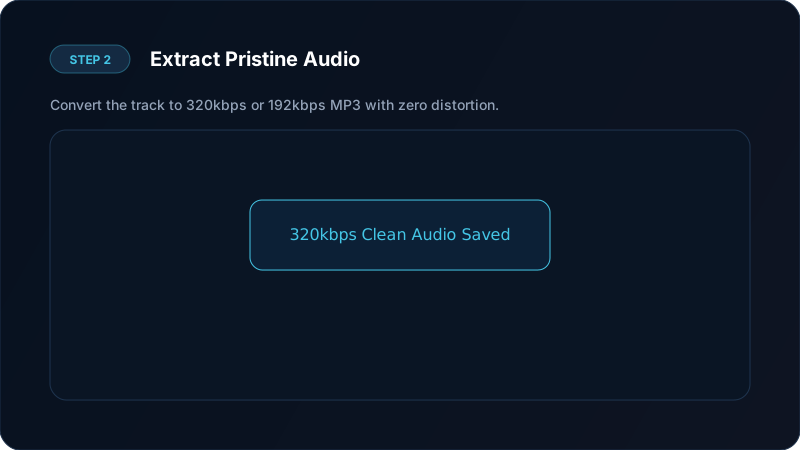
- Choose 320kbps Audio: Select MP3 format and choose 320kbps Ultra High Quality for maximum dynamic range.
- Tap Download: Save Downloads extracts the sound stream and packages it into your
Musicdirectory.
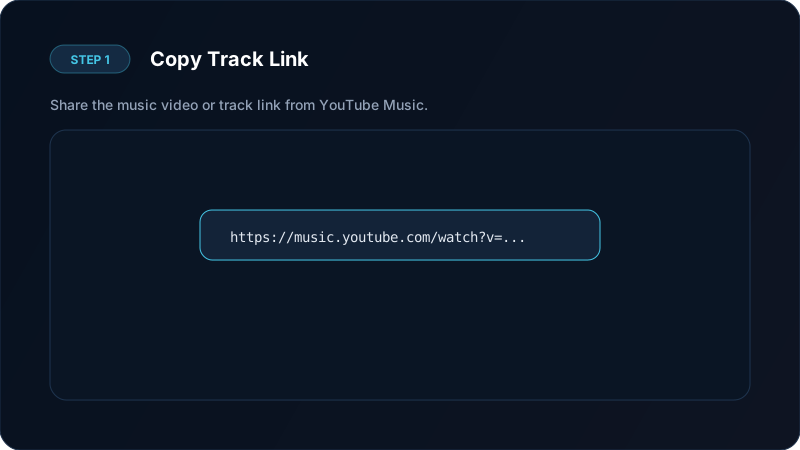
Using a dedicated mobile app ensures your download youtube audio tasks complete quickly without popups or broken redirects.
Bitrate Guide: 320kbps vs 192kbps for Music
The audio bitrate determines the fidelity and file size of your downloaded tracks:
| Quality Tier | Bitrate | File Size (4 min song) | Acoustic Characteristics |
|---|---|---|---|
| Studio Ultra | 320 kbps | ~9.5 MB | Deep bass response, crisp highs, wide stereo soundstage |
| High Fidelity | 192 kbps | ~5.8 MB | Balanced clarity, great for daily mobile listening |
| Standard | 128 kbps | ~3.8 MB | Lightweight, ideal for spoken audio and low storage |
For music tracks with rich instrumentation, 320kbps delivers the most immersive listening experience on high-end headphones or car speakers.
Listening Offline in Your Car and Bluetooth Speakers
Downloaded MP3 files offer unmatched versatility:
- Car Audio USB Drives: Copy your favorite songs to a USB drive and plug it directly into your vehicle dashboard.
- Offline Fitness: Load tracks onto an offline smartwatch or fitness tracker to listen during outdoor runs without carrying a phone.
- DJ & Remix Software: Import clean MP3 audio tracks into mixing software for creative projects and mashups.
For full album downloads, explore our guide on how to download complete YouTube playlists.
Preserving Metadata and Album Artwork
When archiving large music libraries, having clean tags is essential:
- Save Downloads automatically tags MP3 files with the track title and artist name where available.
- Files are saved directly to the standard Android
Musicfolder, where apps like Poweramp, Musicolet, or Samsung Music automatically scan and organize them. - You can easily create custom offline playlists that never buffer or require an active internet connection.
Ethical and Copyright Notice
Please respect music artists and creators:
- Save music only for personal offline listening.
- Support your favorite artists by purchasing concert tickets, official merchandise, and digital albums.
- Do not redistribute or upload copyrighted audio tracks to other public websites.
- Learn more in our legal guide to downloading content.
Creating Road Trip Playlists and Car Audio USB Drives
One of the greatest benefits of having standalone MP3 files is full control over your offline music library:
- Car Audio Systems: Many older car stereos or vehicle head units do not support streaming apps or CarPlay, but virtually all systems include a USB port that reads standard MP3 files.
- Zero Buffering on Remote Highways: Long highway drives through rural areas often result in cellular dead zones. With an offline MP3 collection on your phone or USB drive, your music never cuts out.
- MicroSD Card Storage: On Android phones with expandable storage, you can store thousands of songs on an inexpensive microSD card without filling your internal device memory.
Frequently Asked Questions
Can I download songs from YouTube Music as MP3 files?
Yes. Save Downloads extracts the audio track and packages it into a high-quality 320kbps MP3 file that plays in any player.
What is the difference between YouTube Music and standard YouTube audio?
YouTube Music tracks typically contain official studio recordings with balanced audio leveling, while video uploads may include video intro sequences or ambient noise.
Can I play downloaded MP3 files in my car stereo?
Yes. Universal MP3 files can be transferred to USB drives or played via Bluetooth on all car audio systems.
Is yt music download completely free on Android?
Yes. Save Downloads provides unlimited, free audio downloads with zero account registration or subscription fees.
Ultra-Fast VPN & Uncapped Bandwidth
Protect your mobile downloads with military-grade AES-256 encryption. Prevent ISP bandwidth throttling and stream up to 8x faster.
Try Save Downloads for Android
Parallel multi-chunk downloads, lossless 1080p and 4K stream remuxing, WhatsApp status saver, and AES-256 encrypted vault. 100% offline and account-free.
Related Guides & Articles
How to Download a Full YouTube Playlist
Need a youtube playlist downloader? Learn how to download entire video playlists and music albums in one tap for complete offline viewing.
How to Download YouTube Shorts in HD
Looking for a fast youtube shorts downloader? Learn how to download YouTube Shorts in Full HD without quality loss to your phone gallery or PC.
How to Download YouTube Videos in 4K and 1080p
Learn how to perform youtube video download 4k and 1080p Full HD. Discover how to get high-resolution videos with synchronized audio on mobile and PC.