
YouTube to MP3: How to Download Audio From Any Video

Quick Answer: To convert yt to mp3, copy the video link from YouTube, paste it into the Save Downloads search bar, select MP3 Audio (320kbps or 192kbps), and tap Download. The app extracts the pure audio track and saves a standalone MP3 file directly to your music library for offline listening.
Listening to podcasts, interviews, relaxing ambient sounds, and music lectures does not require streaming high-definition video that drains your mobile battery and consumes valuable monthly cellular data. By using a dependable yt to mp3 converter, you can extract crystal-clear sound tracks and build a personal offline audio library.
Here is your complete guide to using a youtube to mp3 converter safely and efficiently.
Why Convert YouTube to MP3 for Offline Listening?
Extracting audio offers distinct advantages over streaming or saving full video clips:
- Save Up to 90% Storage: A 10-minute 1080p video file weighs roughly 150 MB. The same content saved as a pristine MP3 file requires only 12 MB to 15 MB.
- Conserve Mobile Battery: Playing audio with your screen off uses a fraction of the processor power required for video decoding.
- Listen Anywhere: Enjoy uninterrupted audio during flights, underground subway commutes, remote hikes, or workout sessions without network drops.
- Universal Player Compatibility: MP3 files play on every car stereo, Bluetooth speaker, smart watch, and media player without extra software.
Whether you want to archive educational university lectures or workout music, a reliable youtube mp3 download utility gives you complete portability.
How to Convert YouTube to MP3 on Android
Saving MP3 audio on your mobile device is effortless with the Save Downloads app:
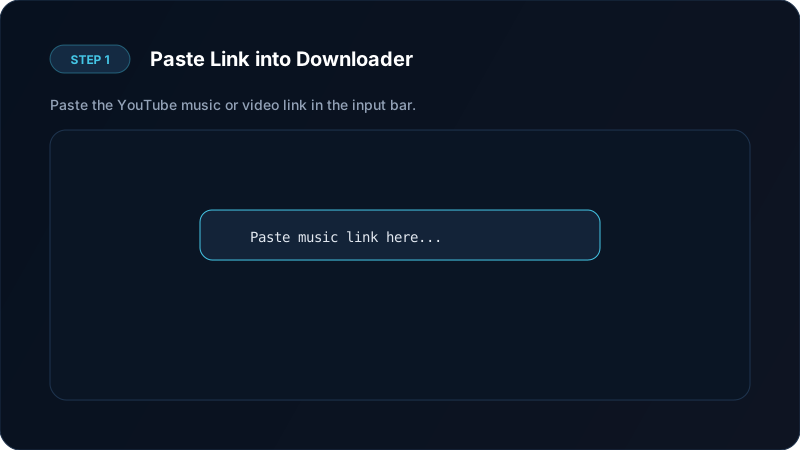
- Copy the Link: Open YouTube, find the video or song you want, tap Share, and choose Copy link.
- Open Save Downloads: The app detects the copied link from your clipboard automatically.
- Select MP3 Audio Quality: Choose between 320kbps Ultra (best for music) or 192kbps Standard (ideal for podcasts and spoken word).
- Tap Download: Save Downloads extracts the sound stream and packages it into an MP3 file in your Music folder.
Unlike web-based yt mp3 sites that flood your screen with deceptive popup ads, Save Downloads executes the entire download process cleanly with zero tracking.
Understanding Audio Quality: 320kbps vs 192kbps vs 128kbps
When choosing audio bitrates for your youtubemp3 conversion, consider the nature of your content:
| Bitrate Tier | Audio Fidelity | File Size (5 min track) | Best Use Case |
|---|---|---|---|
| 320 kbps | Maximum Clarity | ~12 MB | Music, orchestral recordings, rich soundscapes |
| 192 kbps | High Definition | ~7 MB | Talk shows, podcasts, interviews, lectures |
| 128 kbps | Standard Quality | ~4.5 MB | Voice notes, basic spoken audio, saving space |
YouTube streams audio at up to 160kbps Opus or 256kbps AAC. Selecting 320kbps in Save Downloads ensures every nuance of the source stream is preserved without compression artifacts or muffled frequencies.

Batch Downloading Music Playlists to MP3
If you have a playlist with 30 or 50 tracks, converting each video manually is exhausting. Save Downloads includes batch playlist processing:
- Paste the playlist link into the app.
- Tap Select All or pick specific tracks.
- Select MP3 Audio.
- Tap Download All.
The app downloads each track in order, preserving track titles and metadata so your collection is immediately ready for car playback or workout playlists. Read our detailed guide on downloading complete YouTube playlists to learn more.
Safe Downloading: Avoiding Risky Web Converters
Many online youtube video download mp3 sites pose significant security risks:
- Aggressive Popups: Deceptive pop-ups claiming your phone is infected with malware.
- Malicious APK Prompts: Sites trying to download unknown
.apkor.exefiles instead of genuine media files. - Server Failures: Third-party cloud servers frequently get throttled or blocked by video platforms.
Using an audited, offline Android application ensures your phone remains safe, fast, and completely free from malicious web scripts.
Audio Fidelity: Preserving Dynamic Range for Headphones and Speakers
When converting online video to MP3, acoustic nuance matters:
- Frequency Response: Video platforms compress high frequencies during live streaming. A direct 320kbps MP3 conversion extracts the full dynamic range, preserving crisp cymbals and deep bass.
- Equalization & Sound Stages: High-fidelity MP3s sound balanced across studio monitor headphones, home stereo amplifiers, and car tweeters without hollow distortion.
- Audiobook and Lecture Clarity: Spoken-word clarity is preserved at 192kbps, eliminating muffled consonants and background hiss during quiet speaking intervals.
By keeping audio files saved locally, you avoid mobile streaming compression that dynamically lowers sound quality whenever your cell connection weakens.
Frequently Asked Questions
What is the highest audio quality for yt to mp3 conversion?
Save Downloads extracts the direct audio stream up to 320kbps MP3 fidelity, preserving pristine acoustic detail for headphones and car audio.
Can I convert full music playlists to MP3?
Yes. Save Downloads allows you to paste a playlist link and download all songs as individual MP3 files in a single batch operation.
Do I need to keep my screen on while downloading MP3 audio?
No. Save Downloads operates with background foreground services, allowing downloads to complete even while your device is locked.
Are MP3 audio downloads completely free?
Yes. Save Downloads is completely free and account-free with no hidden subscription fees.
Ultra-Fast VPN & Uncapped Bandwidth
Protect your mobile downloads with military-grade AES-256 encryption. Prevent ISP bandwidth throttling and stream up to 8x faster.
Try Save Downloads for Android
Parallel multi-chunk downloads, lossless 1080p and 4K stream remuxing, WhatsApp status saver, and AES-256 encrypted vault. 100% offline and account-free.
Related Guides & Articles
How to Download a Full YouTube Playlist
Need a youtube playlist downloader? Learn how to download entire video playlists and music albums in one tap for complete offline viewing.
How to Download YouTube Shorts in HD
Looking for a fast youtube shorts downloader? Learn how to download YouTube Shorts in Full HD without quality loss to your phone gallery or PC.
How to Download YouTube Videos in 4K and 1080p
Learn how to perform youtube video download 4k and 1080p Full HD. Discover how to get high-resolution videos with synchronized audio on mobile and PC.