
TikTok to MP4: Download TikTok Links as Video Files
Quick Answer: To convert tiktok to mp4, copy the video link from TikTok, open the Save Downloads app, and paste the URL. Select MP4 Video as your desired format, choose your resolution (1080p or 720p), and tap Download. The app saves a standard, universally playable MP4 file directly to your phone storage.
TikTok videos are watched by billions of people worldwide on mobile phones. However, when you want to archive a tutorial for your desktop workstation, edit clips into a collaborative video project, or display a video on a large smart TV, proprietary mobile video streams often cause compatibility headaches.
By using a reliable tiktok to mp4 converter, you transform web links into standard .mp4 video files that play smoothly across every operating system, device, and editing suite.
Why MP4 Is the Best Container for Video Archiving
While streaming platforms frequently package video in experimental web formats to reduce network overhead, MP4 remains the undisputed standard for digital media:
- 100% Cross-Platform Playback: MP4 files play natively on Windows Media Player, QuickTime on macOS, VLC, Android gallery apps, iPhones, iPads, and gaming consoles.
- Hardware Decoding Support: Every modern smartphone processor features dedicated silicon for decoding H.264/MP4 video, delivering fluid playback while conserving battery life.
- Editing Compatibility: Professional video software like Premiere Pro, DaVinci Resolve, Final Cut Pro, and CapCut import MP4 files instantly without conversion lag.
Using a dedicated tiktok to mp4 converter guarantees that your archived media remains functional for years to come.
How to Convert TikTok Links to MP4 on Android
Saving an MP4 video on your mobile phone takes only four steps:
- Copy the Link: Open TikTok, tap the Share button on any clip, and select Copy link.
- Open Save Downloads: The app detects your copied URL automatically.
- Select MP4 Resolution: Choose between 1080p Full HD or 720p HD.
- Start Download: Tap Download to save the file into your device storage.
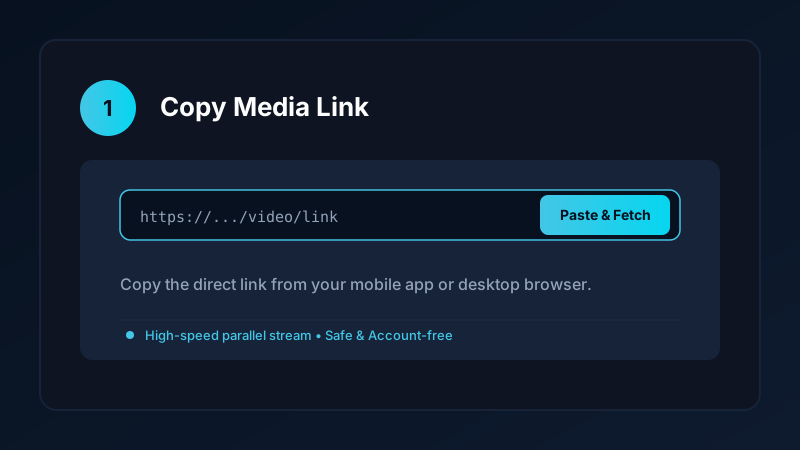
Unlike web-based tiktok mp4 downloader services that force you through multiple advertisement screens, Save Downloads downloads the pure video directly to your storage.
Understanding Video and Audio Synchronization
A frequent problem with low-quality converter utilities is audio drift—where the speaker’s lips move seconds before or after the sound is heard:
- Cheap web converters often rush the stream re-packaging pass, causing timestamp errors in the MP4 file header.
- Save Downloads performs precise stream alignment, ensuring that speech, sound effects, and music stay in lockstep throughout the entire video.
Whether you are archiving a 15-second comedic clip or a 10-minute long-form tutorial, your downloaded file maintains studio synchronization.
Converting TikTok Videos to MP4 on PC and Laptop
If you are working on a desktop computer:
- Open TikTok in your web browser (Chrome, Edge, Firefox).
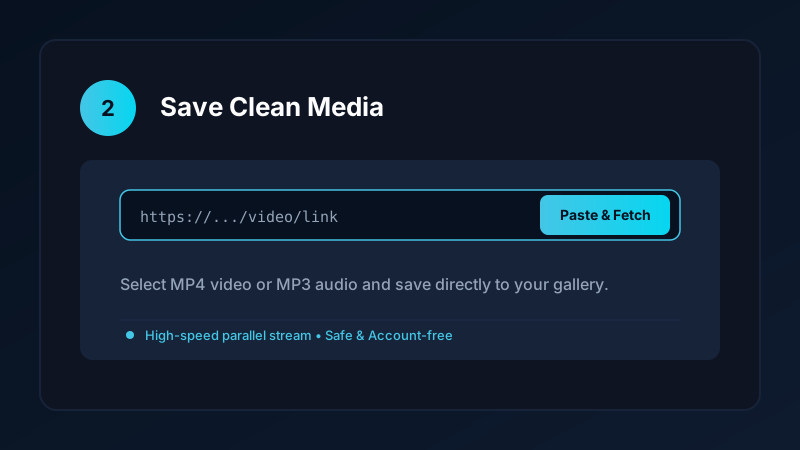
- Copy the video link from your browser address bar.
- Paste the URL into our verified online tool or upcoming Windows application.
- Select MP4 format to save the video directly to your desktop
Downloadsfolder.
You can then import the file into desktop editing software or back it up to an external hard drive. For more desktop options, read our guide on how to download videos on PC and laptop.
Managing Your Stored MP4 Media
Over time, downloading high-definition MP4 clips can accumulate significant disk space. Keep your phone running fast with these tips:
- Audit Old Clips: Use the built-in storage manager in Save Downloads to identify large video files and delete duplicate clips.
- Secure Confidential Media: Move private video clips into the encrypted offline vault to hide them from your public gallery.
- Audio Conversion: If you only need the spoken audio or background song, convert the file to MP3. Explore our guide on how to convert TikTok to MP3.
Ethical Guidelines and Fair Use
When using a tiktok converter mp4:
- Download content only for personal offline study, reference, or fair-use commentary.
- Never republish or monetize other creators’ content without express written consent.
- Review our complete overview on video downloading laws and ethics.
Organizing Video Clips for Multi-Platform Content Creators
If you manage social media accounts across multiple platforms, storing clean MP4 video files streamlines your workflow:
- Avoiding Multi-Platform Compression: Repeatedly exporting and re-uploading compressed files causes cumulative visual degradation. Saving the direct MP4 master preserves clean visuals.
- Creating Archival Backups: Store your completed video projects on an external hard drive or cloud backup so you never lose your creative portfolio if a platform account is locked or disabled.
- Aspect Ratio Compatibility: Standard 9:16 vertical MP4 files fit perfectly on YouTube Shorts, Facebook Reels, and Snapchat Spotlight without stretching or black letterbox borders.
Frequently Asked Questions
Why should I convert TikTok videos to MP4 format?
MP4 is universally supported across Windows, Mac, iOS, Android, and smart TVs, ensuring your downloaded video plays anywhere without error.
Does converting tiktok to mp4 reduce video quality?
No. When using a direct stream fetcher like Save Downloads, the original visual stream is preserved without lossy re-encoding.
Can I convert TikTok links to MP4 on a desktop computer?
Yes. You can paste the link into a web-based converter or our upcoming Windows desktop app to download the MP4 file.
Is Save Downloads free for unlimited MP4 conversions?
Yes. Save Downloads provides unrestricted, free MP4 video downloading with zero daily limits or hidden fees.
Ultra-Fast VPN & Uncapped Bandwidth
Protect your mobile downloads with military-grade AES-256 encryption. Prevent ISP bandwidth throttling and stream up to 8x faster.
Try Save Downloads for Android
Parallel multi-chunk downloads, lossless 1080p and 4K stream remuxing, WhatsApp status saver, and AES-256 encrypted vault. 100% offline and account-free.
Related Guides & Articles
4K Video Downloader: How to Download High-Resolution Videos
Looking for a true 4k video downloader? Learn how to download Ultra HD 4K and 1080p videos with synchronized sound for offline viewing on TV and mobile.
Best Video Downloader App for Android in 2026
Looking for the best video downloader app for Android? Discover top features to check: offline speed, 1080p/4K with sound, private vault, and no accounts.
How to Download a Full YouTube Playlist
Need a youtube playlist downloader? Learn how to download entire video playlists and music albums in one tap for complete offline viewing.